 roundup
 The Best DJ Microphones That Cut Through Loud Music on Stage
A great DJ microphone cuts through loud music on stage. We tested 10 wireless systems from Shure and Sennheiser to find which ones keep you sounding sharp.

Wireless mics that actually hold their signal when you need them. I've tested headsets for church, camera mics for video, and karaoke rigs that survive a house party.

We may earn a small commission through links on this page, at no extra cost to you. As an Amazon Associate, we earn from qualifying purchases. Ratings reflect our own editorial evaluation.
A wireless microphone captures sound and transmits it to a receiver over radio frequencies. That means no XLR cable, no 3.5mm cord, and nothing physically connecting you to the mixer or PA system.
You get full freedom of movement, a cleaner stage, and far fewer cables for anyone to trip over.
Every wireless microphone system relies on three core components: the microphone itself, a transmitter that converts the audio into a radio signal, and a receiver that decodes that signal back into audio. The transmitter can be built into a handheld mic body or housed in a separate bodypack unit clipped to your belt.
You'll sometimes hear them called radio microphones. It's the same thing, just a different name.
The term is especially common in UK and European markets.
Not every wireless system works the same way under the hood. The three main transmission technologies (UHF, VHF, and digital 2.4GHz) each come with distinct tradeoffs in range, reliability, and cost.
UHF wireless microphone systems operate between 470MHz and 698MHz in the US and have been the professional standard for decades. You're looking at 300-plus feet of range with clear line of sight, solid penetration through walls, and the ability to stack dozens of channels in the same venue without them stepping on each other.
Ever watched a live concert, a Sunday service with multiple pastors mic'd up, or a broadcast news segment? UHF wireless was almost certainly handling the audio.
Understanding wireless microphone frequency bands helps you make sense of why UHF remains the top professional choice.
The tradeoff is price, since UHF gear runs more expensive. On top of that, the usable spectrum keeps shrinking as the FCC hands over bandwidth to cellular and broadband providers.
VHF wireless microphones operate in the 169MHz to 216MHz range and cost less than UHF. That lower price tag looks appealing on paper.
The catch is that VHF picks up more interference from nearby electronics, needs a longer antenna (awkward on small bodypacks), and gives you fewer usable channels in any given space. It works fine for a single mic in a small room, but throw multiple wireless microphone systems into the mix and things get messy fast.
For most people shopping in 2026, UHF or digital 2.4GHz is the smarter choice. VHF still shows up in some budget karaoke systems and older installed setups, but new purchases should steer toward the two technologies that offer better performance and broader channel availability.
Digital 2.4GHz wireless microphone systems have exploded in popularity over the last few years, and it makes total sense. They run on the globally license-free 2.4GHz ISM band, which is the same spectrum as Wi-Fi and Bluetooth.
That means you don't need to worry about FCC frequency coordination.
These systems use frequency-hopping spread spectrum (FHSS) technology to dodge interference, and the best ones hit latency under 4 milliseconds, which is basically undetectable. They're compact, affordable, and built with content creators in mind.
Where they fall short is range. Most top out around 100 to 250 feet, and heavy Wi-Fi congestion can trigger occasional dropouts.
If you're a filmmaker, YouTuber, or presenter working within those distances, a digital wireless microphone is probably your best bet right now.
For most people, digital is the better choice. It offers cleaner audio, built-in interference resistance, and optional encryption that analog can't match.
The tradeoff is a tiny amount of added latency.
People ask about this constantly, and honestly, the answer shapes more buying decisions than most folks expect. Analog and digital wireless microphone systems handle audio transmission in fundamentally different ways.
Analog wireless microphones modulate the audio signal directly onto the carrier wave. The sound goes in, rides over radio waves, and comes out the other side.
It's simple and introduces essentially zero latency because the signal is real-time.
The downside is the compander circuit. Every analog wireless microphone system compresses the audio before transmission and expands it on the receiving end.
That companding process can introduce subtle "pumping" or "breathing" artifacts that trained audio engineers notice, especially on dynamic vocals.
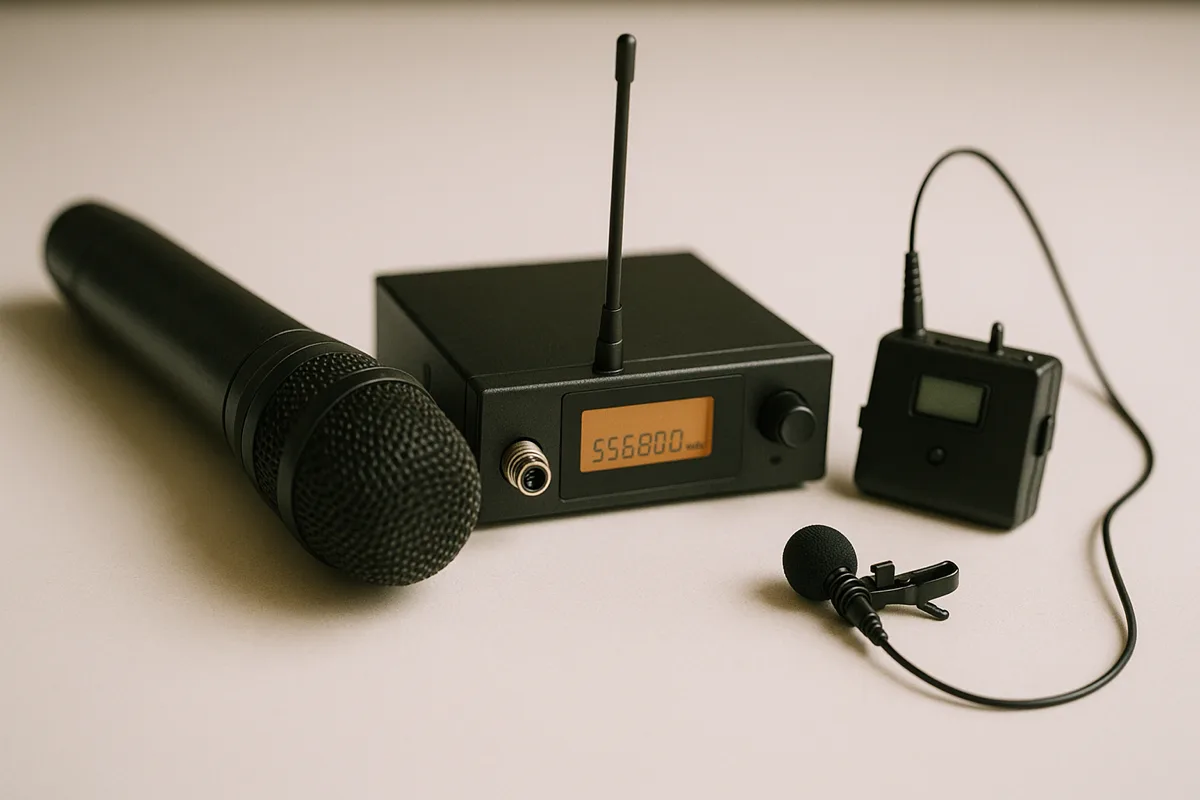
Digital wireless microphones convert the audio into a data stream before transmission, then decode it back at the receiver. The result is a cleaner signal path with no companding artifacts, wider dynamic range, and consistent audio quality regardless of distance from the receiver.
Digital systems on higher-end models also support 128-bit encryption. That's important for corporate events, government settings, or any situation where someone could eavesdrop on the wireless signal.
Analog wireless microphones broadcast unencrypted audio that anyone with a compatible receiver can intercept.
The trade-off is latency. Digital encoding and decoding takes time.
Premium digital wireless microphones from Shure, Sennheiser, and Rode keep this under 4 milliseconds, which is completely imperceptible. Budget digital systems, though, can hit 10 to 20 milliseconds, which becomes noticeable and distracting during live monitoring.
Beyond sound quality, there's a usability gap too. Digital systems usually offer automatic frequency scanning and one-button pairing, while analog gear often requires manual tuning and a bit more technical know-how.
That ease of use explains a lot about why 2.4GHz digital has taken over the content creator market so fast.
For most buyers in 2026, digital wins. The audio quality gap has closed, the latency is negligible on reputable brands, and the encryption plus interference resistance make digital the more practical choice for the majority of applications.
Analog still holds its ground for touring musicians who demand absolute zero-latency monitoring and veteran audio engineers who prefer the sonic character of analog companding. If you're not in one of those camps, go digital.
There are five main types: handheld, lavalier (lapel), headset, camera-mounted, and phone/tablet wireless microphones. Each serves a different use case and recording environment.
Which one works best depends entirely on your situation, so let's walk through each type.
This is the form factor everybody pictures. A handheld wireless microphone looks and feels just like a standard mic, except the transmitter lives inside the handle.
The capsule, which is the part that actually picks up sound, can be dynamic or condenser, and higher-end models let you swap capsules to change the mic's character. Handheld wireless microphones are the default choice for karaoke, live vocals, speeches, and pretty much any situation where the performer holds the mic.
They're dead simple to use and look natural on stage. The only catch is that one hand is always tied up holding the mic.
Higher-end handhelds from Shure, Sennheiser, and Audio-Technica feature interchangeable capsule systems. You can swap between a bright condenser capsule for crisp vocal detail and a warmer dynamic capsule for fuller, smoother tones, all without changing the transmitter body.
That modularity makes a single handheld system incredibly versatile across different performers and venues.
Lavalier mics are tiny clip-on microphones that attach to your clothing near the chest. A small cable runs from the mic to a bodypack transmitter clipped to your belt or tucked in a pocket.
Lavs have become the standard wireless microphone choice for interviews, presentations, on-camera dialogue, and broadcast news. They're discreet, completely hands-free, and deliver steady audio no matter which direction you turn your head.
The catch is clothing rustle, which is a real issue if you don't clip the mic properly. And because the capsule sits on your chest rather than near your mouth, lavalier wireless microphones grab more ambient room noise than headset or handheld mics.
Headset mics hook around your ear or the back of your head and position a tiny boom element right near the corner of your mouth. That placement means the wireless microphone stays at a fixed distance from your mouth no matter how much you move.
The result is rock-steady volume and excellent background noise rejection. Wireless headset microphones are hugely popular with fitness instructors, worship leaders, theater actors, and public speakers.
They're hands-free, featherlight, and practically invisible from a few feet away. The headworn microphone market has expanded significantly, with models purpose-built for everything from drenching spin classes to polished keynote stages.
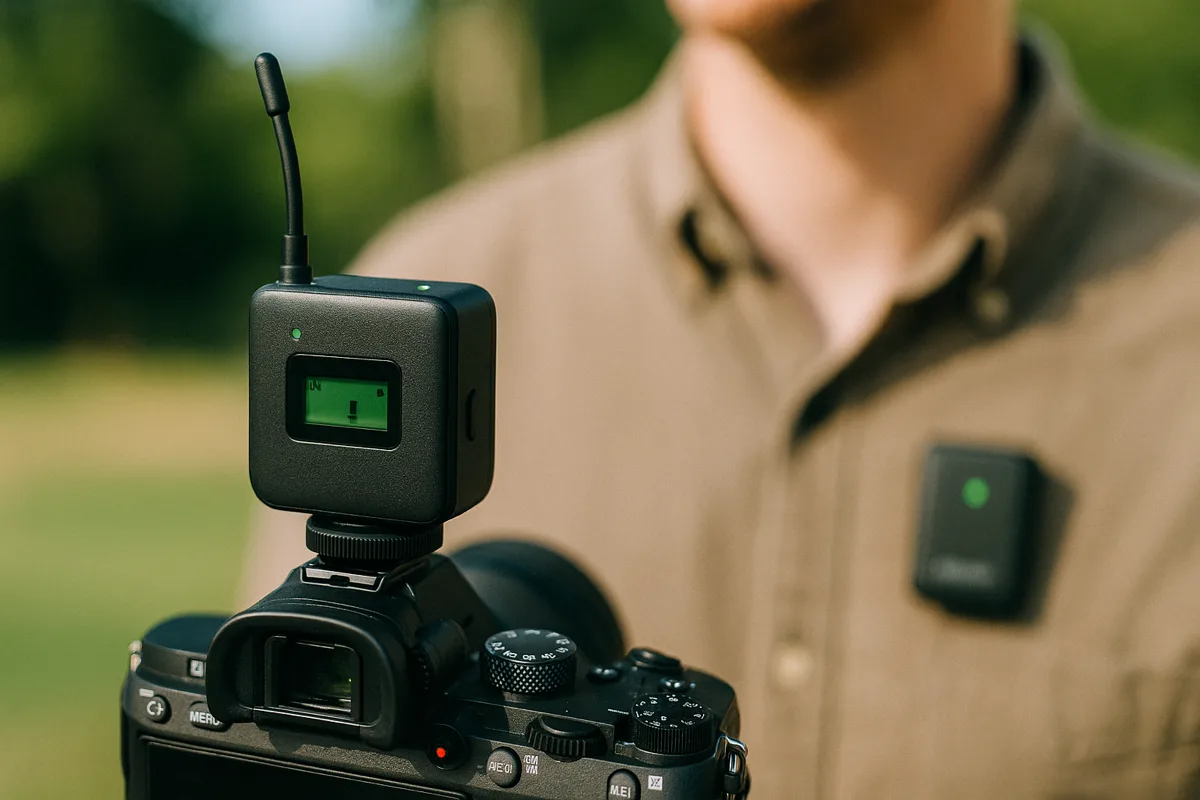
These wireless microphones are purpose-built for videographers. The receiver slides onto your camera's hot shoe and plugs into the 3.5mm mic input.
Your subject wears the transmitter, which pairs with either a lavalier or a built-in mic capsule. Rode, DJI, Hollyland, and Saramonic have all made camera wireless microphone systems absurdly compact and easy to use.
If you shoot on a mirrorless camera, DSLR, or even a GoPro, a camera-mounted wireless microphone is one of the single biggest audio upgrades you can make. Built-in camera mics are flat-out terrible for dialogue.
This is the newest corner of the wireless microphone world, with systems built specifically for smartphones and tablets. They connect through Lightning, USB-C, or Bluetooth to pipe wireless audio straight into your mobile device.
If you're recording on an iPhone or Android, a dedicated phone microphone will completely transform your audio quality. You'll also find excellent wireless microphone options made specifically for Android phones and for iPad users who need wireless audio for video calls, recording, or livestreaming.
Ten years ago, wireless mics were mostly a pro-audio thing. Now the tech has gotten cheap enough and reliable enough that there's a wireless solution for almost every audio scenario you can think of.
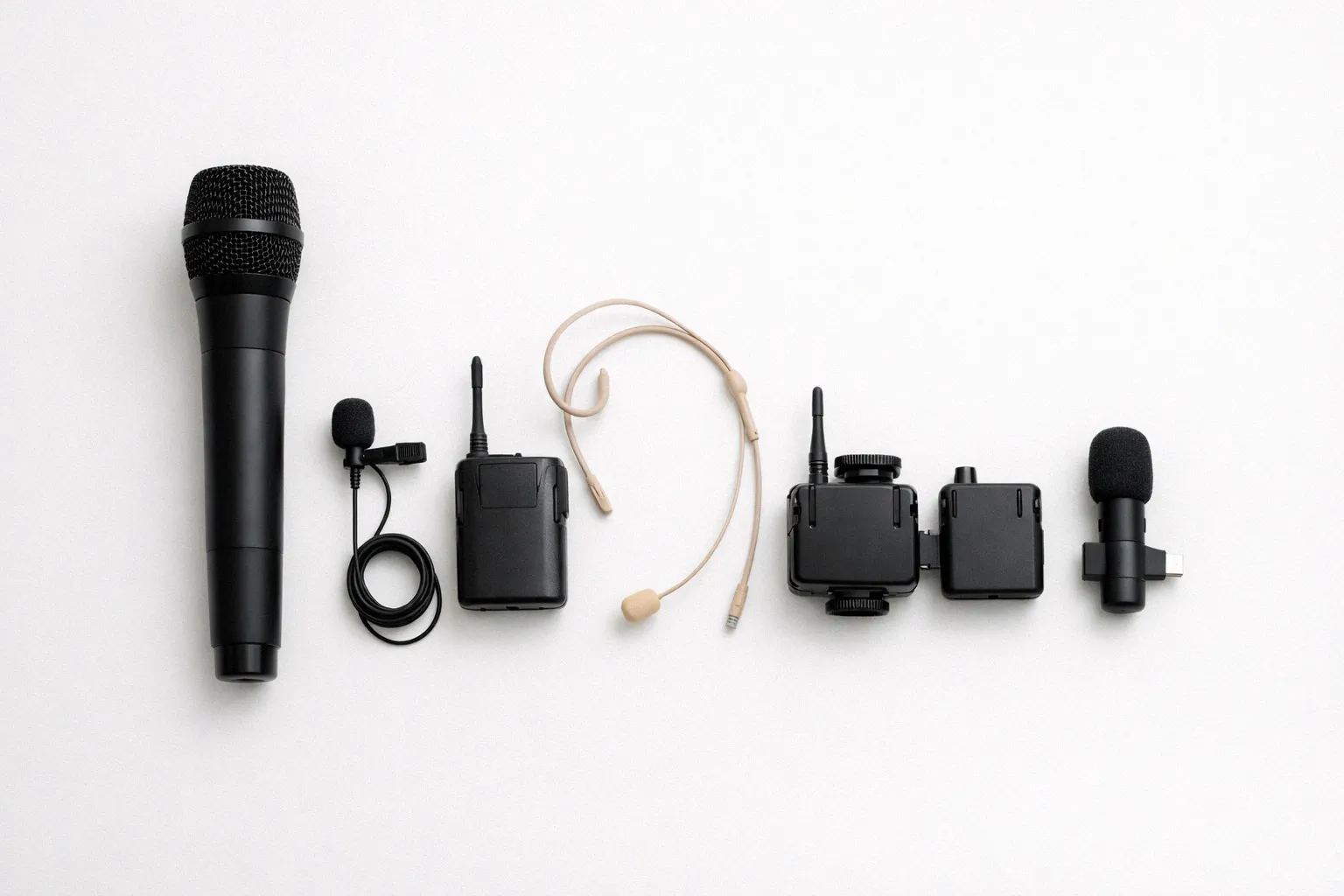
These are the use cases we see most often, along with what actually matters in each one. Getting this match right is honestly the single most important buying decision you'll make.
Churches are one of the biggest markets for wireless microphones, and it's easy to see why. Pastors pace the stage, worship leaders sing while playing guitar or keys, and multiple speakers often need to be mic'd at the same time.
A wireless headset microphone designed for church use frees up the pastor's hands for gestures and holding a Bible while delivering clear, steady audio to the PA. If your church runs several wireless microphone channels simultaneously, look for a UHF system with plenty of frequencies to choose from.

Once you've got four or more wireless channels in the same room, frequency coordination becomes absolutely critical. A 4-channel wireless microphone system is the sweet spot for mid-sized churches that need multiple mics without the complexity of full-scale frequency management.
Karaoke nights almost always run handheld wireless microphones because they're intuitive for casual singers and tough enough to survive a party. Dual-channel systems with two handhelds on one receiver are perfect for duets.
Kids' wireless microphones have carved out their own niche here too, with colorful designs, built-in speakers, and simplified controls that let younger users jump right in.
DJs have different priorities. A reliable DJ microphone needs to punch through loud music, resist feedback, and hold up after being passed around a crowd all night.
Stick with dynamic capsules that have cardioid or supercardioid patterns. These reject far more background noise than condensers in loud rooms.
Conference rooms, boardrooms, convention halls. They all benefit from wireless microphones.
Lavaliers are the standard for TED-style talks and corporate keynotes because they're barely noticeable and free up both hands for gestures or clicking slides.
Headset wireless microphones are gaining traction here too, particularly for speakers who like to move around. The non-negotiable spec for any presentation wireless microphone is reliability.
A dropout in front of 500 people isn't something you recover from gracefully. Go with a reputable UHF or quality 2.4GHz system, and always bring fresh batteries.
For larger conferences with panel discussions, consider a multi-channel UHF system that can handle four to eight mics simultaneously. Having all panelists on a coordinated frequency set from the same manufacturer eliminates cross-channel interference and makes the sound tech's job dramatically easier.
For indie filmmakers, YouTubers, and social media creators, wireless lavalier microphones have become absolutely essential gear. The receiver sits on your camera or plugs into your phone while the transmitter clips onto your subject.
You end up with broadcast-quality dialogue and zero visible cables in the shot. If you're shooting on a DSLR or mirrorless camera, a wireless camera microphone is hands-down the most impactful audio upgrade available.
Many modern systems also record audio onboard the transmitter as a safety net. Even if the link glitches, you've still got clean audio on the transmitter's internal storage.
That's a feature built into popular models like the DJI Mic 2 and Rode Wireless GO III.
32-bit float recording in compact transmitters has been a huge deal for filmmakers too. The audio file captures such a wide dynamic range that even an unexpected shout or a loud clap won't distort the recording.
You just fix the levels in post with zero quality loss.
Gamers want clear comms without cable spaghetti on their desk. Most gaming headsets handle this with a 2.4GHz dongle and built-in mic, but there are situations where a standalone wireless microphone makes a real difference.
Streamers chasing studio-quality audio, console players who want a better Xbox microphone or PS4 microphone, and anyone going for a clean desk setup all benefit from splitting the mic off the headphones. Pair premium open-back cans with a dedicated wireless microphone for a noticeable jump in both listening and voice quality.
Low latency matters here more than in most other use cases. A mic with 15-plus milliseconds of delay creates an audible echo in Discord calls and live streams that viewers will notice immediately.
USB condenser mics like the Blue Yeti and Elgato Wave have owned the streaming desk for years, but going wireless means you can stand up, walk to a whiteboard, or step away from the camera without losing audio. For variety streamers and IRL content, that freedom opens up a completely different kind of show.
Fitness instructors put wireless microphones through absolute hell. The mic needs to handle sweat (IP67 rated is ideal), stay locked in place during jumping and spinning, and sit close enough to the mouth to cut through booming class music.
Headset microphones built for active vocal performance are the standard in this world. Look for moisture-resistant coatings, adjustable earloops, and omnidirectional capsules that keep picking up your voice evenly as you whip your head side to side.
If you're used to the wired world, where you just plugged in and forgot about it, wireless microphone spec sheets can feel like a lot. Don't overthink it.
These are the specs that actually matter and the numbers you should be looking for.
| Spec | What It Means | Good Range | Why It Matters |
|---|---|---|---|
| Frequency Band | The radio spectrum the system uses | UHF (470-698MHz) or 2.4GHz | Determines legality, interference risk, and range |
| Operating Range | Max distance between transmitter and receiver | 100-330ft (typical use) | Must exceed your actual working distance with margin |
| Latency | Delay between sound entering mic and reaching output | Under 5ms (imperceptible) | Critical for live performance and real-time monitoring |
| Channels | Number of selectable frequencies | 20+ for multi-mic setups | More channels = more flexibility to dodge interference |
| Battery Life | How long the transmitter runs on one charge | 6-12 hours | Must outlast your longest session plus safety margin |
| Audio Bandwidth | Frequency response of the audio signal | 50Hz-15kHz (speech), 40Hz-20kHz (music) | Wider bandwidth captures richer, more natural sound |
| SNR (Signal-to-Noise Ratio) | Difference between signal level and noise floor | Above 100dB | Higher SNR means cleaner audio with less background hiss |
| THD (Total Harmonic Distortion) | Amount of unwanted distortion added by the system | Below 0.5% | Lower is better; high THD makes vocals sound harsh |
Latency deserves a closer look. Analog UHF and VHF wireless microphones have essentially zero latency because the audio modulates the radio signal in real time.
Digital wireless microphones add a small delay for encoding and decoding. Premium systems from Shure, Sennheiser, and Rode land under 4 milliseconds, which is completely unnoticeable for singers, speakers, and actors.
Cheaper digital wireless microphone systems, though, can hit 10 to 20 milliseconds or worse, which is audible and distracting when you're monitoring live. If you plan on using in-ear monitors or need real-time audio feedback, check the latency spec before buying any digital wireless microphone.
Battery life can absolutely make or break your wireless microphone experience. Nothing's worse than a mic dying mid-sermon, mid-song, or mid-take.
Professional UHF wireless microphone systems on AA batteries typically last 6 to 10 hours. Newer 2.4GHz systems with built-in rechargeables usually get you 5 to 8 hours.
Plan around your longest possible session and add at least 20% buffer. If your Sunday service goes three hours, you need a transmitter that'll run for at least four.
And always keep spare batteries or a fully charged backup within arm's reach.
Rechargeable lithium-ion packs are convenient for daily use, but they lose capacity over time. Expect roughly 20% degradation after 300 to 500 charge cycles.
Disposable AA lithium batteries, while more expensive per use, deliver more consistent runtime and store for years without losing charge. Many professional users keep both options on hand.
Operating range numbers on wireless microphone spec sheets reflect ideal conditions: clear line of sight, zero interference, nothing in the way. In the real world, expect about 50% to 70% of that listed number.
A wireless microphone system rated for 330 feet might realistically give you 200 feet once you factor in walls, furniture, and other devices fighting for spectrum.
Working a big venue? Go UHF.
Staying within 100 feet? Most 2.4GHz wireless microphone systems will serve you just fine.
Put simply, use wired when you can stay in one place, and wireless when you need to move. Wireless adds convenience and mobility at the cost of battery management, potential interference, and higher price.
Wireless isn't always the better call. If it were, recording studios would've ditched cables a long time ago.
Here's a straight-up comparison of where each approach actually wins.
| Factor | Wireless | Wired |
|---|---|---|
| Freedom of Movement | Complete mobility within operating range | Limited to cable length |
| Audio Quality | Very good (top systems match wired) | Purest signal with zero compression artifacts |
| Reliability | Subject to interference, dropouts, battery death | Plug in and it works, every time |
| Setup Complexity | Frequency scanning, pairing, battery checks | Plug cable into mic, plug other end into mixer |
| Cost | $50-$3,000+ depending on system | $20-$1,000+ (no receiver/transmitter needed) |
| Latency | 0ms (analog) to 4ms+ (digital) | Zero |
| Multi-Mic Scaling | Requires frequency coordination | Just add more cables and mixer channels |
| Stage Appearance | Clean, professional, no cable clutter | Cables visible (manageable with tape/channels) |
Here's the honest take: if you can use a wired mic, use a wired mic. Studio recording, podcast at your desk, standing behind a lectern?
Wired every time.
The signal path is purer, there are no batteries to manage, and you eliminate an entire category of potential problems: interference, dropouts, frequency clashes, and dead batteries.
But the second you need to move, a wireless microphone earns every penny. A pastor pacing the stage, a fitness instructor bouncing around, a bride and groom at a wedding, a documentary subject walking through a location.
In all those scenarios, a cable is either impractical or outright impossible.
The quality gap between wired and wireless microphones has closed dramatically. Today's top wireless microphone systems from Shure, Sennheiser, Audio-Technica, and Rode produce audio indistinguishable from wired in blind listening tests.
The real compromise only shows up at the budget end of the market.
For condenser microphone applications like studio recording, wired still dominates. For dynamic microphone applications like live performance, wireless has become the clear favorite.
The one scenario where wireless is a clear net negative is drum recording and close-mic instrument work in the studio. The slight latency, potential for interference, and added noise floor of even a premium system make wired connections the only serious option when you're capturing detailed instrumental tones at high fidelity.
Proper setup means scanning for open frequencies, positioning antennas with clear line of sight, and keeping spare batteries ready. Skip any of these steps and even expensive gear will underperform.
You can spend a fortune on a wireless microphone system and still get dropouts if the setup is sloppy. The gear matters, but so does how you deploy it, and a few basics go a long way.
Before you power on any wireless microphone, scan the local RF environment. Most mid-range and professional receivers include an automatic frequency scan that identifies open channels in your venue.
Run the scan every time you set up, even if you've used the same space before. Wi-Fi networks, other wireless microphone systems, Bluetooth devices, and even LED lighting rigs can change the interference landscape from one event to the next.
If your wireless microphone system doesn't have auto-scan, manually step through channels until you find one with a clean, static-free signal. Never just pick a random channel and hope for the best.
Keep the receiver's antennas elevated and unobstructed. Tucking the wireless microphone receiver inside a metal equipment rack or behind a wall of gear is a guaranteed way to cut your effective range in half.
Maintain line of sight between the transmitter and receiver whenever possible. Human bodies absorb radio frequencies surprisingly well, and a crowd between you and the receiver acts like a signal sponge.
For wireless microphone adapters and plug-on transmitters that mount directly on existing wired mics, antenna placement is already fixed. Make sure the adapter's antenna isn't pinched against a mic stand or covered by the performer's grip.
If you're getting dropouts from your wireless microphone, start with the basics. Check battery levels first because a transmitter with a low battery outputs a weaker signal.
Move the receiver closer to the transmitter if possible.
Persistent interference usually means another device is competing on the same frequency. Switch channels or re-run the frequency scan.
Keep the receiver away from Wi-Fi routers, LED walls, and other RF-noisy equipment.
Audio cutting in and out at a consistent distance? You've likely hit a dead spot, a location where reflected radio waves cancel each other out.
Moving the receiver even two or three feet in any direction often solves this entirely.
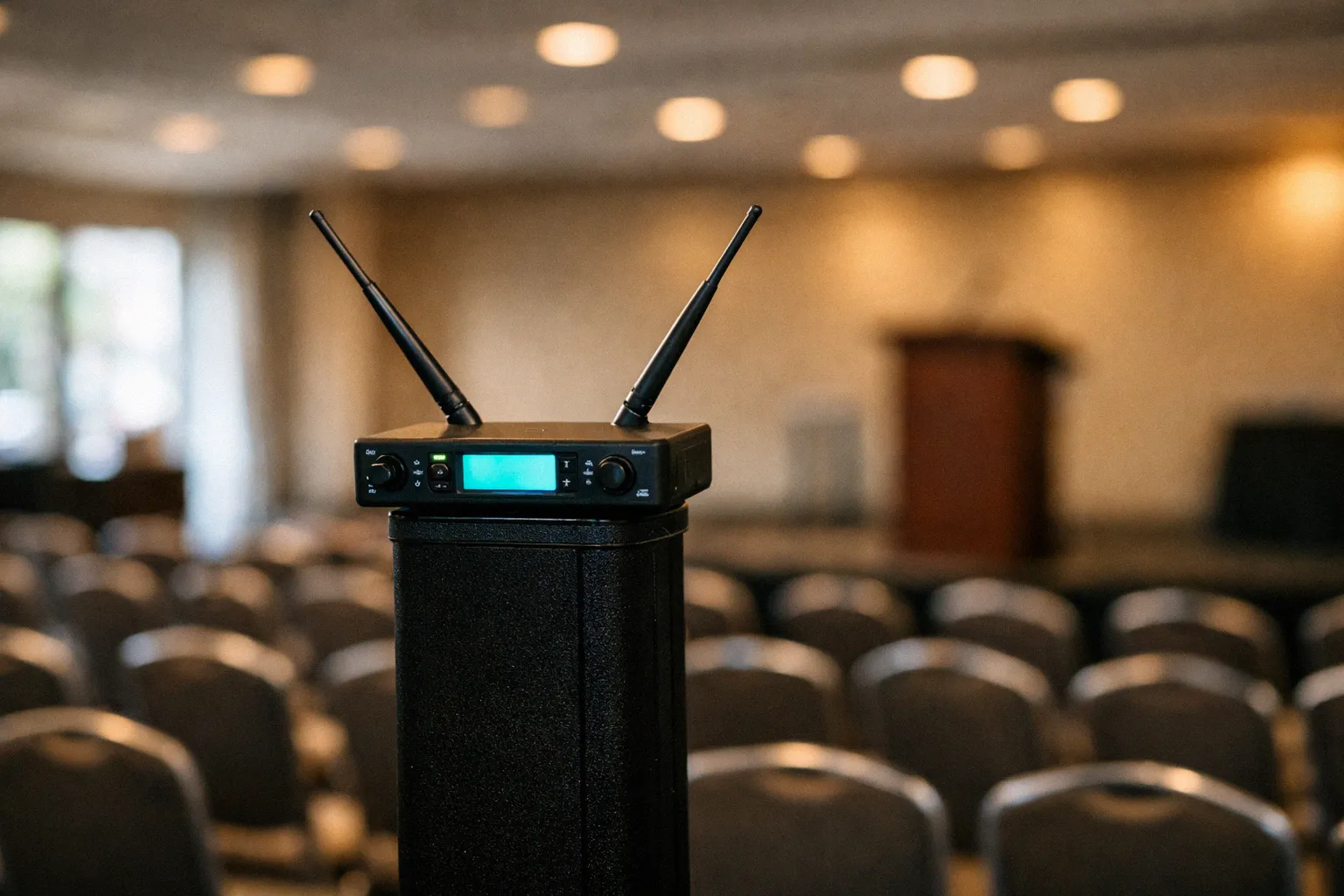
Running multiple systems in the same venue? Coordinate frequencies so they don't create intermodulation products that cause mutual interference.
Intermod happens when two or more transmitter signals combine and generate phantom frequencies that land on one of your receiver channels.
Most professional receivers calculate compatible frequency sets automatically. At the very least, buy everything from the same manufacturer, since their systems are engineered to coexist without intermod conflicts.
If you shoot video on anything (phone, camera, action cam), upgrading your microphone is the single highest-impact change you can make. People tolerate shaky or grainy footage far longer than they'll tolerate tinny, echoey, wind-blasted sound.
Bad audio makes viewers click away in seconds.
Every DSLR and mirrorless camera ships with a built-in mic, and every single one is awful for anything beyond basic room ambience. They pick up autofocus motor whine, hand vibrations, and pretty much every sound within a 360-degree radius.
A dedicated wireless microphone for your camera puts a lavalier inches from your subject's mouth and sends clean, isolated audio to a receiver on the hot shoe. The DJI Mic 2, Rode Wireless GO III, and Hollyland Lark Max have all become go-to wireless microphone systems for videographers.
Action cameras like the GoPro present a different challenge. They're built for wide-angle action footage, and their built-in mics are notoriously bad with wind.
A GoPro-compatible microphone, whether wired through the media mod or wireless via an adapter, lets you capture clean narration and dialogue that the stock mic simply can't manage. This matters a lot for vloggers, travel creators, and adventure filmmakers who narrate while they shoot.
When shopping for a camera-mounted system, pay close attention to the receiver's size and weight. Ultra-compact receivers from DJI and Rode weigh under two ounces and barely change your camera's balance.
Bulkier receivers designed for rack-mount use will top-heavy a small mirrorless rig and make handheld shooting miserable.
Smartphones have turned into legitimate filmmaking tools. Modern iPhones, Samsung Galaxy phones, Google Pixels, and even mid-range Android devices all shoot 4K with impressive dynamic range.
The built-in mics, though, weren't designed for content creation.
A dedicated phone mic fixes that entirely. Today's phone-compatible systems connect via Lightning, USB-C, or Bluetooth and pair with a clip-on lavalier transmitter.
Setup takes roughly 30 seconds, and the jump in audio quality is immediately obvious.
Bluetooth-connected options are the easiest to set up since they don't require any physical adapter, but they add noticeable latency and compress the audio signal. For serious content creation, a direct Lightning or USB-C connection delivers significantly better results: lower latency, wider frequency response, and no pairing headaches.
If you're creating for YouTube, TikTok, Instagram, or any platform using your phone as the camera, a $30 to $150 wireless microphone upgrade will make you sound like you spent thousands.
Android users face an extra wrinkle: compatibility can get tricky with dozens of manufacturers implementing USB-C slightly differently. We've tested and reviewed the best external microphones that genuinely work with Android phones so you don't have to guess.
iPad users have their own quirks too, especially around Lightning versus USB-C and app support. Our iPad microphone guide has recommendations tested specifically with iPadOS.
A wireless headset mic is a lightweight, professional-grade miniature capsule worn on the head that keeps a fixed distance from the mouth. It delivers the most consistent audio of any wireless mic form factor.
Headset mics don't get nearly enough attention considering how versatile they are, and how often people confuse them with something else. A headset mic is not a gaming headset with a boom slapped on it.
It's a professional-grade miniature capsule mounted on a lightweight frame that hooks around your ear or wraps behind your head. The biggest advantage of headset placement is consistency.
The capsule sits roughly an inch from the corner of your mouth, so volume and tone stay nearly identical whether you're turning your head, glancing at notes, or crossing a stage.
Lavs sit on the chest and pick up more room ambience when the speaker turns away. Handhelds shift in tone every time the performer adjusts their grip or distance.
Headsets eliminate both problems.
Most headset mics use either an omnidirectional or cardioid pickup pattern. Omnidirectional capsules are more forgiving of slight position shifts and sound natural, but they grab more ambient noise.

Cardioid capsules focus tightly on the voice and reject more background sound, making them the better pick in loud environments like fitness studios and concert stages.
In churches, headset wireless microphones are quickly becoming the default for pastors and worship leaders. They deliver the clearest audio of any wireless mic type, don't budge during animated preaching, and keep both hands completely free.
The best wireless headset microphones for church come in skin-tone finishes that blend in visually, with moisture-resistant construction for speakers who bring serious energy on stage.
Singers who need both hands free, whether playing piano, strumming guitar, or performing choreography, depend heavily on headset wireless microphones. Having the capsule right next to the mouth gives excellent gain-before-feedback, meaning the sound engineer can push volume louder before the system feeds back.
A quality headset microphone for singing pairs a condenser capsule for crisp high-frequency detail with a cardioid or hypercardioid pattern for maximum feedback rejection.
Fitness headset wireless microphones take punishment that would kill most audio gear. Sweat, constant movement, vibrations from jumping and running, and the need to project over thumping class music all take a toll.
The best fitness headsets use waterproof coatings, reinforced cables, and secure ear hooks that won't budge during high-intensity classes. Invest in a quality wireless headset mic system with a sweat-resistant rating and replaceable boom elements.
They'll eventually corrode from moisture, and swapping just the element saves real money over time.
Look for an IP67 or higher ingress protection rating if you teach classes regularly. Anything below IP54 will likely fail within a few months of daily sweat exposure, regardless of brand or price point.
We've tested and reviewed hundreds of wireless microphones at this point, and certain mistakes come up over and over again. These six cost people the most money and cause the most headaches.
There's a price floor below which wireless microphones just don't work reliably. Sub-$30 systems from no-name brands typically use unshielded components, sloppy antenna design, and bargain-bin capsules.
You end up with static, dropouts, pathetic range, and audio that sounds worse than your phone's built-in mic.
Dropping at least $50 to $80 on a recognized brand like Rode, Fifine, Synco, Hollyland, or Boya gets you into the zone where wireless microphones actually perform as advertised.
Wireless microphones share radio spectrum with other devices. Buying a system without checking what else is transmitting in your venue is a recipe for headaches.
Churches, conference centers, and event spaces typically have multiple wireless microphone systems, Wi-Fi networks, and Bluetooth gadgets all competing for bandwidth. Make sure your wireless microphone has enough selectable channels to dodge interference when it appears.
Dead batteries during a performance are 100% preventable, and 100% on you if it happens. Start every event with fresh batteries or a full charge, no exceptions.
Keep labeled backups in your mic case. If you're running rechargeables, swap them out annually since capacity fades over time.
Some professional systems display remaining battery life directly on the receiver. That's a genuinely lifesaving feature during live events.
Color-coded battery labeling is a simple habit that pays off enormously. Mark your fresh sets in green and spent ones in red, and you'll never accidentally load half-dead cells into a transmitter five minutes before a performance.
A handheld wireless microphone is wrong for a fitness class. A lavalier wireless microphone is wrong for karaoke night.
A headset looks weird in a formal news interview.
Match the form factor to what you're actually doing. If you're unsure, default to a system that bundles both a handheld and a bodypack/lavalier option.
Plenty of mid-range products sell both transmitter types together, giving you flexibility without buying two separate setups.
The receiver matters every bit as much as the transmitter. A weak receiver with lousy antenna design will cause range problems and audio artifacts that no amount of transmitter quality can fix.
For any professional wireless microphone application, look for true diversity receivers. These run two antennas and auto-switch to whichever has the stronger signal.
Single-antenna receivers work for casual short-distance use, but they'll fail when things get demanding.
In the US, wireless microphones must operate on FCC-approved frequencies. Some cheap imports run on frequencies that are no longer legal, or never were.
Using prohibited frequencies can get you fined, and more practically, you'll get hammered by interference from services that have priority on those bands. Stick with FCC-certified systems from brands you've actually heard of.
If you're buying from overseas marketplaces and the listing doesn't mention FCC certification, check the frequency range printed on the unit itself. Anything operating in the 600MHz band (614-698MHz) without an FCC license is illegal for consumer use in the US since 2020.
You can spend $30 on a clip-on phone mic or $5,000 on a broadcast rig. The wireless microphone market really is that wide.
So what does each price bracket actually buy you?
| Budget Tier | Price Range | What You Get | Best For |
|---|---|---|---|
| Entry Level | $30 - $80 | Single-channel 2.4GHz, basic lav or handheld, 50-100ft range, 4-6hr battery | Phone content, casual YouTube, home karaoke |
| Mid-Range | $80 - $250 | UHF or quality 2.4GHz, multiple channels, better capsules, 150-250ft range, 8hr+ battery, onboard recording | Serious content creation, small churches, presentations, indie film |
| Professional | $250 - $700 | True diversity UHF, premium capsules, rack-mount receivers, frequency scanning, 300ft+ range, metal build | Houses of worship, live venues, corporate events, broadcast |
| Broadcast/Touring | $700 - $5,000+ | Networked receivers, Dante/AES67 output, spectrum management, interchangeable capsules, encrypted transmission | Touring productions, TV broadcast, large multi-channel installs |
Entry level ($30-$80) gets you into the wireless microphone game with systems that work but have obvious limits. Range is modest, everything's plastic, and the audio is acceptable without being impressive.
For phone-based content, that's perfectly fine. The DJI Mic Mini, Rode Wireless ME, Hollyland Lark M2, and Boya BY-WM3 all sit in this wireless microphone tier and deliver legit value.
If you're shooting TikToks, Instagram Reels, or casual YouTube videos, an entry-level wireless lavalier microphone is the smartest audio investment you can make.
Mid-range ($80-$250) is where wireless microphones start feeling genuinely professional. Capsule quality jumps noticeably with richer lows, crisper highs, and lower self-noise.
You also get more channels to dodge interference, longer battery life, and features like 32-bit float onboard recording that can rescue your audio if the wireless link drops.
The Rode Wireless GO III, Hollyland Lark Max, DJI Mic 2, and Audio-Technica System 10 are standouts in this bracket. If you're running a small church, shooting wedding videos, or producing a podcast, mid-range wireless microphone systems punch well above their weight.
Professional ($250-$700) hits the point where the wireless microphone system just disappears into the background, and you stop fiddling and start focusing on your actual work. True diversity receivers kill dropouts, premium capsules rival wired mic quality, and the build holds up through years of daily abuse.
Shure BLX, Sennheiser EW-D, and Audio-Technica 3000 Series all live in this bracket. Houses of worship, corporate AV teams, and working videographers should budget for this wireless microphone tier.
Broadcast/touring ($700+) is the top end. If you're reading a guide like this, you probably don't need gear at this level, and that's completely fine.
These wireless microphone systems exist for situations where failure literally isn't an option and dozens of channels need to coexist without a hiccup.
If you're managing audio for a megachurch, a touring musical, or a live broadcast, systems like the Shure Axient Digital or Sennheiser Digital 6000 earn back every dollar by simply never failing.
One final note on budget: don't forget accessories. A padded carrying case, a spare bodypack, an extra lavalier element, and a set of backup batteries add $30 to $100 to your total cost but prevent the kind of day-of disasters that no amount of system quality can save you from.
No. Wireless microphones use their own dedicated radio frequencies (UHF, VHF, or 2.4GHz) and don't rely on Wi-Fi at all.
Even 2.4GHz wireless microphones, which share the same frequency band as Wi-Fi, operate independently through their own transmitter-receiver pair. You could use one in a field with zero internet and it would work perfectly.
Typical wireless microphone range spans 100 to 330 feet depending on the system type. Budget 2.4GHz wireless microphones cover 50 to 150 feet, while professional UHF systems reach 300-plus feet with clear line of sight.
Real-world range is usually 50% to 70% of the spec sheet number once you factor in walls, bodies, and competing wireless devices.
It depends on the system and frequency band. A solid UHF wireless microphone system can handle 8 to 20-plus channels in one venue when frequencies are coordinated properly.
Digital 2.4GHz wireless microphone systems usually top out at 4 to 8 simultaneous channels before the spectrum gets crowded.
Need more than 4 wireless microphones at once? UHF is the safer choice.
Not directly. A wireless microphone receiver outputs analog audio (usually XLR or 1/4-inch), not Bluetooth.
You could use an adapter to convert that signal to Bluetooth, but it adds latency that defeats the purpose in live situations. The better move is running a cable from the receiver to a powered speaker or PA system.
Most wireless microphone transmitters last 5 to 12 hours on a single charge or set of batteries. Professional UHF systems on AA batteries typically deliver 6 to 10 hours, while compact 2.4GHz wireless microphones with built-in rechargeables average 5 to 8 hours.
Always plan for your longest session plus at least 20% buffer, and keep backups ready.
Run the receiver's frequency scan before your event to find clean channels. Keep the antenna elevated and unblocked, and maintain line of sight between the transmitter and receiver.
Don't park the wireless microphone receiver next to Wi-Fi routers, LED walls, or other RF-noisy gear.
Running multiple systems? Coordinate frequencies so they don't create intermodulation products.
For most beginners, a mid-range 2.4GHz lavalier system like the Rode Wireless GO III or DJI Mic 2 is the best starting point. These systems offer reliable audio, simple setup, and work with both cameras and phones right out of the box.
Budget $80 to $250 for a system that performs reliably across most use cases. Below $50, quality drops sharply; above $250, you're paying for professional features like true diversity reception and rack-mount compatibility that casual users won't need.
Yes, with rules. In the US, wireless microphones must operate on FCC-approved frequencies.
The 600MHz band (614-698MHz) is reserved for cellular carriers and requires an FCC license for wireless microphone use.
The 470-614MHz range remains available for unlicensed wireless microphone operation. The 2.4GHz band is license-free worldwide.
Stick with FCC-certified wireless microphone systems from reputable brands and you'll be fine.
At the end of the day, choosing a wireless microphone boils down to three things: your use case, the distance you need, and your budget.
If you're a content creator shooting on a phone or camera, start with a mid-range 2.4GHz lavalier wireless microphone system. The Rode Wireless GO III or DJI Mic 2 will handle 90% of your needs without wrecking your budget.
If you're managing audio for a church, school, or corporate venue, invest in a professional UHF wireless microphone system with true diversity and room to add channels later. And if you're a fitness instructor, singer, or performer who needs hands-free audio, a quality wireless headset mic system is worth every dollar.
Whatever you go with, remember that a wireless microphone system is only as strong as its weakest link. Pair a premium transmitter with a cheap receiver and you'll be disappointed.
Pair a great receiver with dying batteries and it'll fail when it matters most.
Spend the time to match form factor, transmission tech, and specs to what you're actually doing. Nail that part, and you'll end up with wireless microphone audio that sounds clean, stays reliable, and makes everything you produce noticeably better.
roundup A great DJ microphone cuts through loud music on stage. We tested 10 wireless systems from Shure and Sennheiser to find which ones keep you sounding sharp.
 roundup
 These 10 external microphones for Android phones plug right in and dramatically improve your audio for video, podcasts, and voice recording.
 roundup
 We compared 10 phone microphones that plug into your smartphone for clearer audio. Find the best lavalier, shotgun, and stereo options here.
 roundup
 We reviewed 10 wireless microphone headsets for presenters, fitness instructors, and performers. Here are the most reliable hands-free systems at every price.
 roundup
 The best wireless headset microphone for church lets pastors move freely without losing clarity. We tested systems from Shure, AKG, and Samson to rank them.
 roundup
 We tested the best 4 channel wireless microphone systems for bands, panels, and worship teams. Here are 10 reliable picks ranked by performance.
 roundup
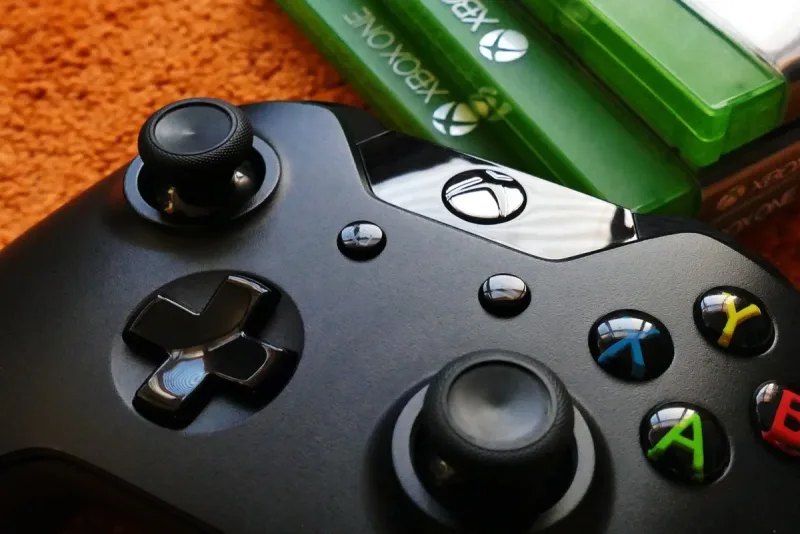
 We tested 10 Xbox One microphones and gaming headsets for crystal-clear team chat. Find the best wired and wireless options from Razer and more.
 roundup
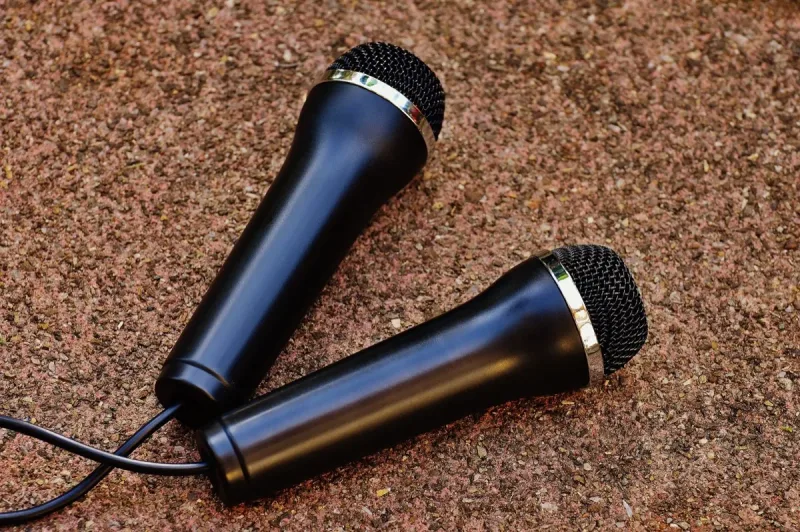
 No more tangled cables at karaoke night. We tested 10 wireless microphones for karaoke and ranked them by sound quality, connection, and party-readiness.
 roundup
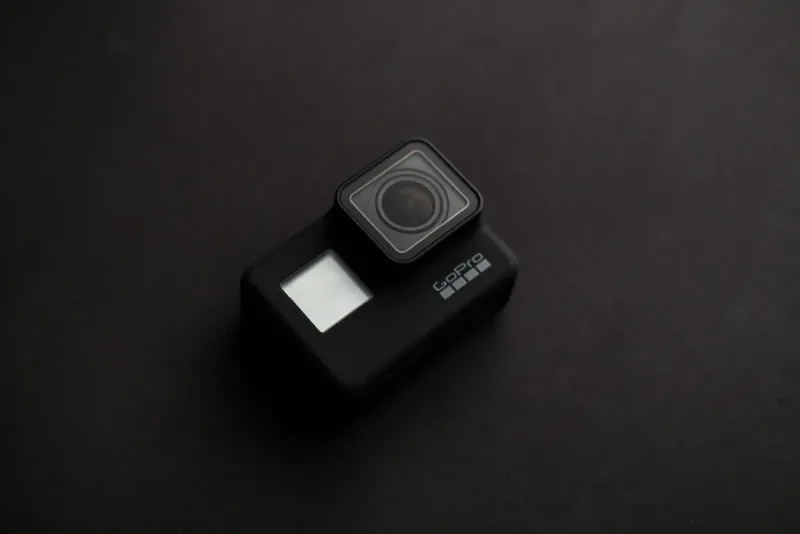
 We tested 10 wireless microphones for camera that replace your built-in mic with broadcast-quality audio. Find the best lavalier and on-camera options.
 roundup
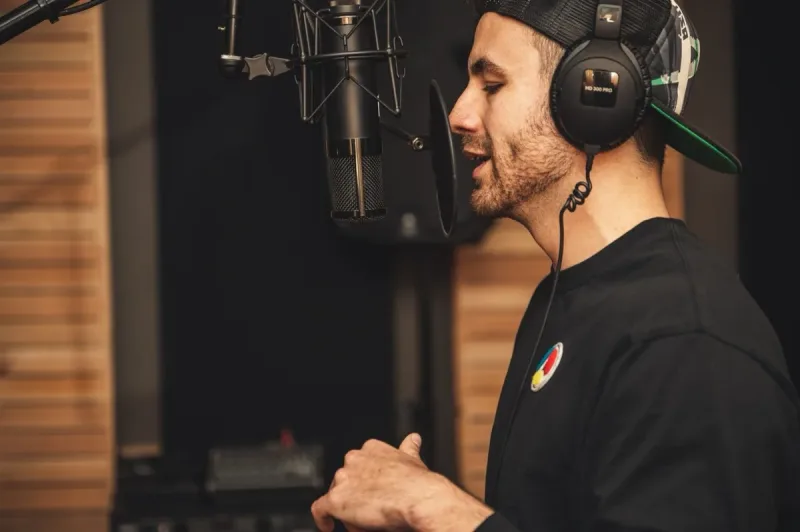
 We compared 10 headworn microphones for performers, fitness instructors, and presenters who need hands-free audio that stays put during movement.
 roundup
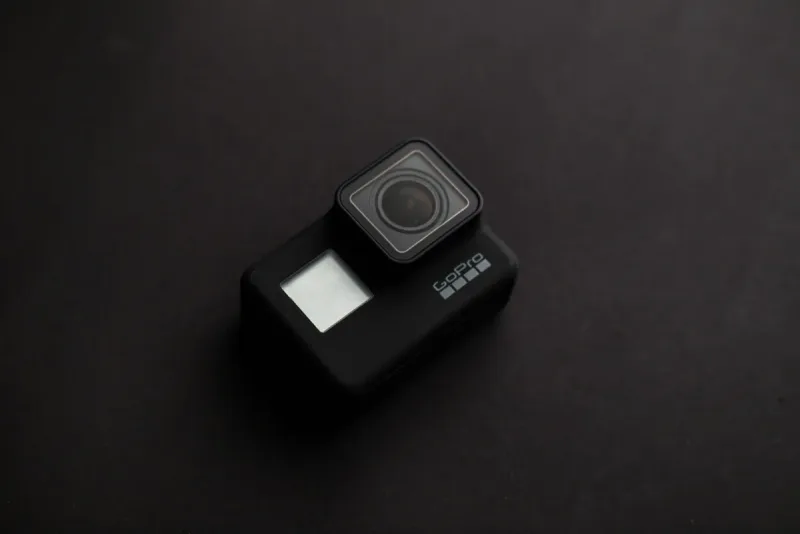
 Your GoPro's built-in mic struggles in wind and noise. These 10 external GoPro microphones plug in easily and upgrade your vlog audio instantly.
 roundup
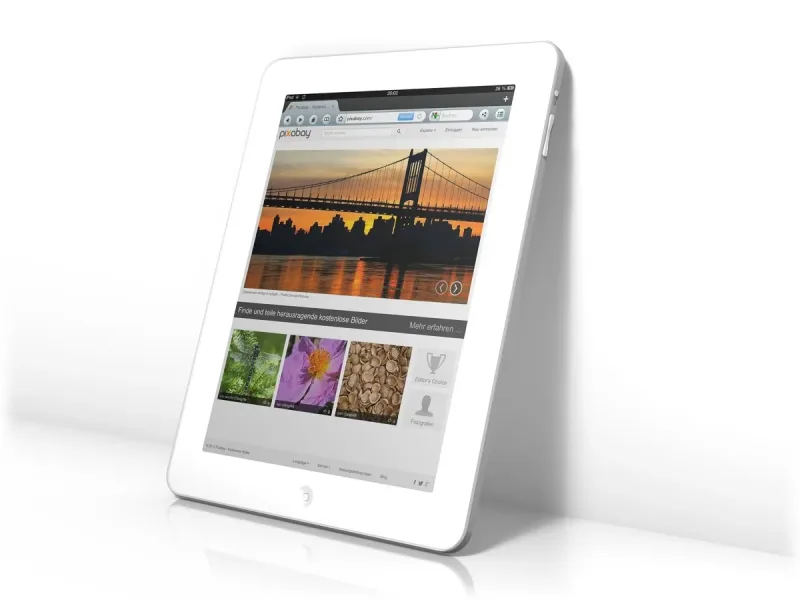
 We compared 10 iPad microphones from Shure, Rode, and Zoom that plug right in and deliver pro-quality audio for recording, podcasting, and music on the go.