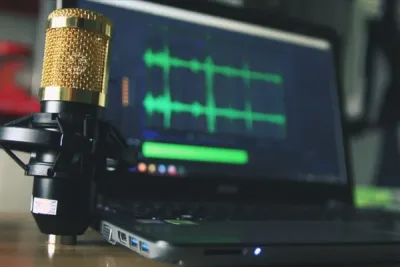

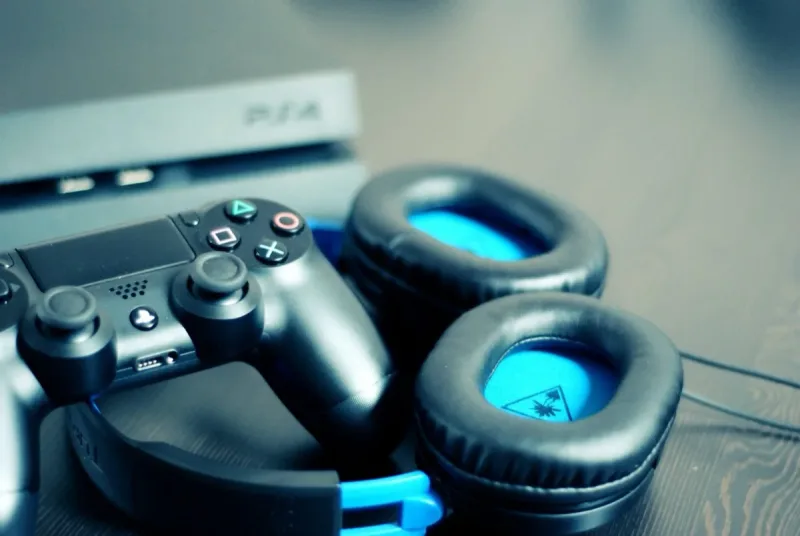
If you talk to teammates (or trash-talk opponents) during gaming sessions, a solid PS4 microphone isn’t a nice-to-have, it’s essential.
After putting in the research hours, we’ve landed on the 10 best PS4 mics you can also double up for streaming on Twitch or YouTube.
Here’s our honest take: skip the headset mic and grab a standalone. Standalone mics sound noticeably better, they last longer, and if you’re the type who games through speakers instead of a headset, a dedicated mic is basically the only option that makes sense.
That’s why you’ll notice our top picks are all standalone models.
Quick Comparison Chart
| # | Product | Our Rating | ||
|---|---|---|---|---|
| 1 |  |
HyperX QuadCast | ★★★★★ | Check Price |
| 2 | 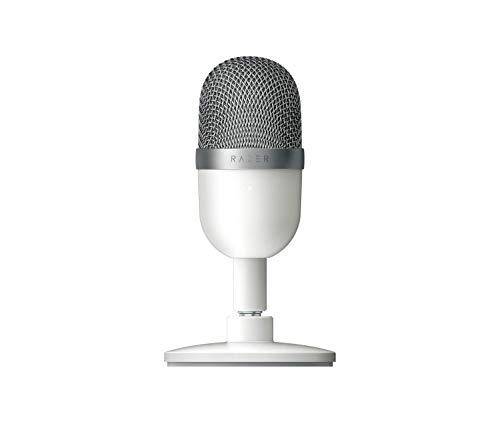 |
Razer Seiren Mini USB Streaming | ★★★★★ | Check Price |
| 3 | 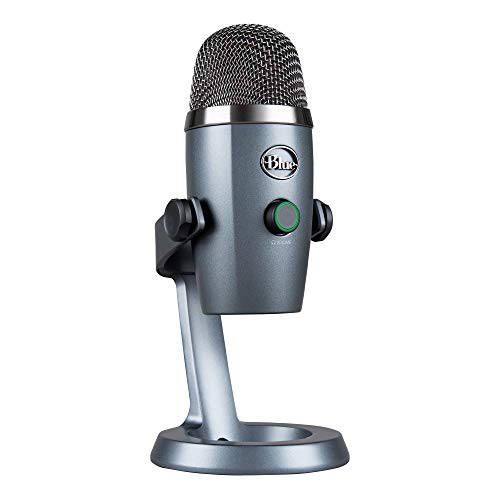 |
Blue Yeti Nano Professional Condenser | ★★★★★ | Check Price |
| 4 |  |
HyperX SoloCast | ★★★★★ | Check Price |
| 5 | 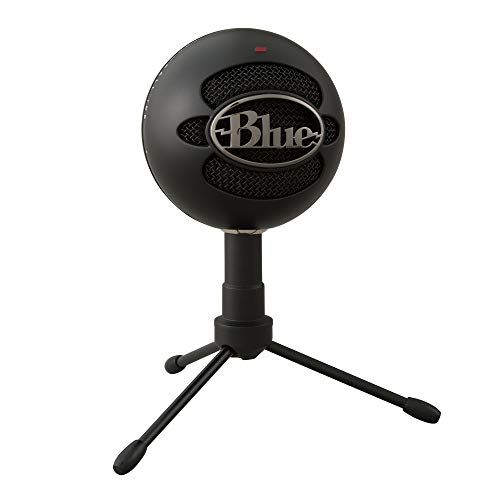 |
Blue Snowball iCE USB Microphone | ★★★★★ | Check Price |
| 6 | 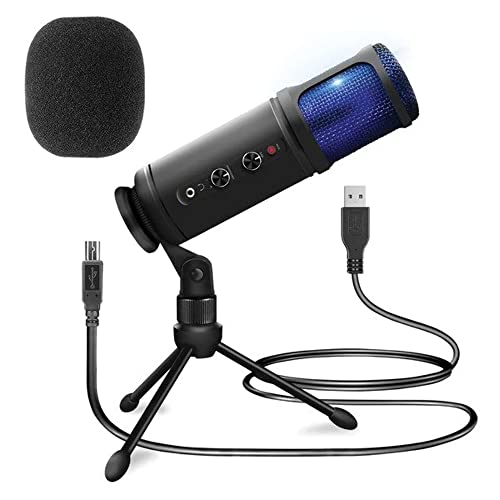 |
Pyle PDMIUSB50 USB PC Recording | ★★★★★ | Check Price |
| 7 |  |
SUDOTACK USB Microphone | ★★★★★ | Check Price |
| 8 |  |
Samson Go Mic Portable USB Condenser | ★★★★☆ | Check Price |
| 9 |  |
FIFINE AmpliGame A6V USB Gaming Microphone | ★★★★☆ | Check Price |
| 10 |  |
Fnatic React Gaming Headset | ★★★★☆ | Check Price |
1. HyperX QuadCast — Best Overall
HyperX QuadCast
If being a pro gaming streamer is your calling or you don't mind spending a little extra for high quality, look no further than the HyperX QuadCast.
Pros
- Four selectable polar patterns for any recording scenario
- LED-lit tap-to-mute button gives instant visual feedback
- Built-in anti-vibration shock mount reduces desk noise
- Gain control dial on bottom for quick level adjustments
Cons
- Documentation lacks detailed setup guidance for beginners
- Frequency response may not suit all voice types equally
If you’re chasing a streaming career (or just don’t mind paying a bit more for gear that lasts), the HyperX QuadCast should be near the top of your list. Even if you upgrade later, you won’t regret starting here.
Sound clarity is the headline feature. This microphone’s anti-vibration shock mount kills the bumps and taps that usually creep into your audience’s ears, and the built-in pop filter handles plosives without needing a separate accessory.
The LED makes it obvious whether you’re live or muted at a glance.
My favorite touch? The mute button.
It sits right on top of the mic, so you just tap it. Compare that to other mics where the mute button is tucked away somewhere awkward, and it’s a genuine quality-of-life win.
Setup takes a couple of minutes, and the gain control knob sits within easy reach for quick sensitivity tweaks. You also get four polar patterns (Cardioid, Bidirectional, Omnidirectional, and Stereo), which means you don’t have to sit perfectly still in one spot.
Move around, lean back, and your voice still comes through clean, which also makes the QuadCast useful well beyond gaming.
2. Razer Seiren Mini USB Streaming — Runner Up
Razer Seiren Mini USB Streaming
This is a great choice for those of you who prefer compact microphones.
Pros
- Ultra-compact body takes up minimal desk space
- Sleek elliptical design available in multiple colors
- Professional 14mm condenser capsule delivers crisp audio
- Tilt stand with built-in shock absorption reduces vibration
Cons
- Audio quality capped by USB bus power limitations
- Cable length restricts placement options without a USB extension
Minimalists, this one’s for you. If you’re tired of watching streamers disappear behind a wall of gear, the Razer Seiren Mini is a breath of fresh air.
It’s one of the most compact picks on our list, right up there with the Samson Go and Snowball iCE in terms of footprint and weight.
It’s a super-cardioid mic, which means it picks up your voice in a narrow zone and largely ignores keyboard clacking and mouse clicks happening a few inches to the side. The built-in desktop stand adjusts for height and tilts side to side when you need it, and it’s shock-resistant too, so you can get animated mid-stream without worrying about knocking it over.
Visually, it’s a looker. The sleek pill-shaped body comes in several color options and, for the sound quality you’re getting, the price is hard to argue with.
One caveat worth flagging: this is a no-frills mic. There’s no volume dial and no physical mute button, which some of the other picks on this list do include.
If that kind of tactile control matters to you, look elsewhere.
3. Blue Yeti Nano Professional Condenser — Best Value
Blue Yeti Nano Professional Condenser
This microphone is much lower than the high-end USB ones in terms of price without much of a drop in impressive features.
Pros
- Two pickup patterns: cardioid and omnidirectional
- Physical mute button and volume knob on the mic body
- Plug-and-play USB works with PS4 without any drivers
- Compact footprint half the size of the original Blue Yeti
Cons
- Driver support may vary across operating systems
- Cannot be used with standalone audio recorders
The Blue Yeti Nano costs noticeably less than high-end USB options, but it doesn’t skimp on the features that actually matter.
Its standout perk is the no-latency headphone output, which lets you monitor your own voice in real time while streaming. That alone is worth the price of admission.
The front knob does double duty as a volume control and a push-to-mute button, which is almost as satisfying as the QuadCast’s tap-on-top design.
Setup is painless, and the high sampling rate gives your voice a warm, polished tone that listeners will notice. It’s also a handsome piece of kit.
The shadow grey finish is my pick because the stand matches, but there are a few other colors if that’s not your vibe. Bonus points for the mute indicator that glows red when you’re off-air and green when you’re recording.
At this price, though, something has to give. In this case, there’s no physical gain knob, so you’ll need to tweak gain through software.
4. HyperX SoloCast — Top Pick
HyperX SoloCast
This microphone from HyperX comes at a much lower price tag than their Quadcast and boasts an impressive high customer rating.
Pros
- Tap-to-mute sensor with LED status indicator on top
- Durable all-metal body built for daily streaming sessions
- Adjustable tilt stand positions mic at the perfect angle
- USB-C connection provides fast, reliable data transfer
Cons
- Build quality may not withstand heavy daily use
- Included accessories are basic and may need upgrading
This microphone from HyperX comes at a much lower price tag than their Quadcast and boasts an impressive high customer rating.
The SoloCast aims at delivering higher-fidelity voice capturing for gamers who don’t want to spend too much on fancy mics
It offers one polar pattern (cardioid) in contrast to the Quadcast’s four.
However, within this unidirectional scope, their sound quality produced by both is comparable.
The mic does a great job of shutting out tinny and echoing sounds.
Of course, the lower price comes with a reduction in features.
Most noticeably, the gain control knob and the microphone jack are absent.
For straightforward streaming experiences, this should not be too much of a problem.
But if you are a perfectionist who wants full control of the sound generated, you may want to look at pricier alternatives.
The shock mount is missing as well.
Instead, this mic comes with an adjustable stand, boom arm and mic stand threading.
A key feature attraction that the mic does retain is the tap-to-mute button at the top that we raved about earlier when discussing the QuadCast.
The overall build of the mic is solid so there are no question marks about durability.
Its red LED light is simple but, importantly, big enough to stand out and let you know when it is on or off.
From an appearance standpoint, the SoloCast has a sleek, modern design that should fit in impressively with your other (even high-end) equipment.
5. Blue Snowball iCE USB Microphone — Top Pick
Blue Snowball iCE USB Microphone
Another strong offering from Blue, this is the best-selling mic in the vocal condenser microphones category on Amazon!
Pros
- Plug-and-play setup with zero drivers or software needed
- Custom condenser capsule tuned for voice clarity
- Iconic retro-sphere design looks great on camera
- Weighs under 1 pound for easy desk or shelf placement
Cons
- Gain control depends on software settings rather than hardware knobs
- Not compatible with most PA systems or mixers without adapters
Another winner from Blue, the Snowball iCE is currently the best-selling vocal condenser mic on Amazon, and there’s a reason for that.
It slots onto the tripod mount easily and angles to wherever you need it. Sound production is crisp and clean, though you’ll want to keep the room reasonably quiet since there’s no heroic noise rejection here.
If you’re just getting into gaming or streaming, this is about as painless as setup gets, and the Snowball iCE has a reputation for just working without technical drama. The orb design looks the part on camera, and at just over a pound, it barely takes up desk real estate.
That said, it’s not all roses. The Snowball iCE strips out the premium extras you’d find on top-tier mics.
There’s no physical mute button, which can be frustrating mid-stream, and no volume control either. The included mount is also a bit short, so you may end up propping it on a stack of books or swapping in your own boom arm.
Bottom line: this mic isn’t for everyone, but for beginners on a budget looking to get started, it’s a smart first buy.
6. Pyle PDMIUSB50 USB PC Recording — Worth Considering
Pyle PDMIUSB50 USB PC Recording
This microphone is a great choice for streamers looking for ease of use without compromising on sound quality.
Pros
- Plugs into the PS4 controller and works within seconds of connecting
- Lightweight and compact enough to toss in a bag for gaming on the go
- Tripod and adjustable mic holder included
- Solid sound production and background noise control
Cons
- Audio quality capped by USB bus power limitations
- Cable length restricts placement options without a USB extension
The Pyle PDMIUSB50 is a solid pick for streamers who want plug-and-play simplicity without giving up decent sound quality.
Setup couldn’t be easier. Plug it into your PS4’s USB port and you’re live.
It’s got a built-in headphone jack with volume control, plus a dedicated mute button for those moments when you need to sneeze, cough, or just take a breath off-mic.
The gain control knob is handy for tuning how loud you come through. Soft-spoken?
Dial it up. Too loud?
Bring it back down. Since it’s a cardioid mic, it naturally rejects noise coming from behind you, which helps if your room isn’t exactly a recording studio.
You also get a foam cover out of the box, so no pop filter required.
Pyle throws in an adjustable tripod stand that sits nicely on a desk. The mount on top swivels so you can angle the mic however you like.
It looks good too, with a compact body and a blue LED that glows when it’s on.
7. SUDOTACK USB Microphone — Worth Considering
SUDOTACK USB Microphone
This microphone has lots of desirable features and is light on the pocket as well.
Pros
- Quality accessories that will save you money
- Higher sampling rate than other mics (for greater clarity)
- Quick and convenient setup
Cons
- Driver support may vary across operating systems
- Cannot be used with standalone audio recorders
The SUDOTACK packs in a lot of features for a budget-friendly price, and the accessory haul is what really sets it apart.
Inside the box you’ll find an adjustable stand, pop filter, shock mount, and windscreen, and here’s the kicker: they’re not cheap afterthoughts. Buy these accessories separately and you’d easily spend more than the mic itself costs, which makes this bundle a genuine value.
Build quality is solid too, with an all-metal body and sound that punches well above its price. No drivers to install (handy for PS4), and the 7-foot cable is long enough for most desk setups.
The mic rotates a full 360 degrees on its stand, and the matte black base weighs in around a pound so it stays put during use.
One thing worth mentioning: this mic pushes a 192kHz sampling rate, which is much higher than the typical 48kHz you’ll see elsewhere on this list. That translates to noticeably cleaner capture, though the trade-off is file size.
For pure recording it’s overkill, but for streaming it’s a nice bonus.
8. Samson Go Mic Portable USB Condenser — Worth Considering
Samson Go Mic Portable USB Condenser
This microphone is a great choice for those looking for ease of carrying their equipment around.
Pros
- Folds into a compact clip that fits in your pocket
- Switchable cardioid and omnidirectional pickup patterns
- Built-in headphone output for latency-free monitoring
- 16-bit/44.1kHz recording quality in a travel-size body
Cons
- No XLR output limits use with professional audio interfaces
- Latency can be noticeable on older computers
If portability is a priority, the Samson Go is hard to beat. At half a pound, it’s by far the lightest and most compact pick on this list, and it won’t empty your wallet either.
For the price, the audio is surprisingly clean. Your audience will get voice quality close to what you’d hear from much pricier mics.
The multi-pattern pickup also gives you some wiggle room on positioning, so you’re not locked into one spot. The built-in stand is the real star, though.
It clips onto laptops or gaming consoles, works as a standalone desktop mount, or slides onto a mic stand, and the rubber feet grip firmly wherever you put it.
A couple of heads-ups: there’s no gain knob, and you’ll want to grab a pop filter for cleaner recordings. But the size, seriously, is the big win here.
The Samson Go is barely bigger than a cigarette lighter, and its carry case is almost as tiny. A front-facing green LED tells you when the mic is live, build quality feels sturdy in hand, and PS4 compatibility is plug-and-play.
9. FIFINE AmpliGame A6V USB Gaming Microphone — Worth Considering
FIFINE AmpliGame A6V USB Gaming Microphone
Another affordable offering, this microphone comes with many helpful accessories and is great if you're on a budget.
Pros
- Vivid RGB lighting effects
- Convenient top-mounted mute button silences your mic with one tap
- Plug and play USB connection
- Compatible with PS4, PS5, and PC
- Includes pop filter and shock mount
Cons
- Cable quality could be better
- Instructions could be more detailed
Another budget-friendly option loaded with accessories, the FIFINE AmpliGame A6V is a great fit if you’re watching your spending but still want a full setup.
Setup is a breeze. The mic clamps to the edge of your desk and swings around on an extendable, rotatable boom arm, which frees up precious desk space, especially if you’re running multiple monitors.
No drivers or sound cards needed either, so PS4 integration is completely hands-off.
Its input versatility is a real edge. It’s primarily USB, but it also supports XLR, which gives you a lot more flexibility as you grow your setup.
It’s built for gaming, but it’s also great for conference calls and even music recording.
Bonus: a foam windsock and pop filter are included, so your audio stays clean out of the gate. The manual is refreshingly easy to follow, and the overall aesthetic is pro.
Build quality is solid, bolts tighten securely, and it holds up over long sessions without drama.
10. Fnatic React Gaming Headset — Worth Considering
Fnatic React Gaming Headset
For headsets with high-quality microphones, the Fnatic React Gaming Headset takes the cake.
Pros
- Top-rated headset mic delivers clear voice chat for online PS4 gaming
- Picks up your voice clearly while filtering out keyboard and fan noise
- Ambient sounds blocked out
- Detachable mic to ease solo play
- Comfortable for long sessions
Cons
- Sound isolation is limited compared to over-ear headphones
- Clamping force may feel too tight for long wear
If you’re shopping for a headset where the mic is actually worth using, the Fnatic React Gaming Headset is hard to beat.
The mic is detachable, which is a nice touch if you also game solo and want a lighter feel. On the cord there’s a small control unit with a volume dial and mic mute switch, both clearly placed so you won’t fumble for them mid-match.
Sound clarity is excellent, so team comms flow smoothly. That comes down to the hyper-cardioid pickup pattern, which rejects most background noise, and the mic captures your voice accurately whether you’re a soft talker or more of a shouter.
Distortions and dropouts basically aren’t a thing here. The built-in pop filter and foam mic cover round out the package, keeping breath pops and stray noise out of your teammates’ ears.
The one thing to watch: don’t whisper. A quick test before you play should dial in the right speaking level.
Beyond the mic, the rest of the headset is solid. The memory-foam cushions keep you comfortable on marathon sessions and block out ambient noise so you can actually hear the game.
Frequently Asked Questions
Can I use a USB microphone with my PS4 instead of a headset?
Yes, the PS4 supports most USB microphones natively. Just plug the mic into one of the USB ports, go to Settings, then Devices, then Audio Devices, and select the USB mic as your input device.
This is a popular choice for streamers who want better voice quality.
Will a PS4 microphone also work with the PS5?
Most USB and 3.5mm microphones that work with the PS4 are also compatible with the PS5 since Sony maintained backward compatibility for audio devices. Wireless headsets may need a firmware update or adapter, so check the manufacturer’s PS5 compatibility list.
How do I reduce echo and background noise on my PS4 microphone?
Go to Settings, then Devices, then Audio Devices on your PS4 and lower the microphone level until the input bar barely moves when you’re not talking. You can also enable the sidetone feature to monitor your own voice, and use a mic with a noise-canceling feature for the best results.
Final Thoughts
Shopping for a PS4 mic can feel like information overload fast. We’ve tried to cut through the noise here, covering what matters without drowning you in spec sheets.
The picks above are intentionally varied because there’s no one-size-fits-all mic for gaming. What works for a competitive streamer won’t necessarily suit a casual party-chat setup, and your budget and desk space play into it too.
At the end of the day, it comes down to your comfort and what you want to achieve. Hopefully these reviews point you in the right direction.
The HyperX QuadCast is our top pick because its four selectable polar patterns, tap-to-mute button, and exceptional sound quality make it the ultimate streaming mic for PS4 gamers who want pro-level audio. If you prefer something more compact and affordable, the Razer Seiren Mini delivers surprisingly clean audio in a tiny, attractive package with a shock-resistant stand.